---
title: How to access Partner Portal
description: Learn how to easily access the Partner Portal, log in to manage your account, team, and resources.
---
[Skip to content](https://support.eventpack.com/partner-portal/how-to-access-partner-portal#main-content)
English
Show submenu for translations

Open main navigation
Close main navigation
- English
Show submenu for translations
- Contact us
Contact us
How can we help you?
- There are no suggestions because the search field is empty.
1. [Partner Portal for Exhibitors and Sponsors](https://support.eventpack.com/partner-portal?hsLang=en)
2. [Web Portal](https://support.eventpack.com/partner-portal/web-portal?hsLang=en)
# How to access Partner Portal
## This guide will show you how to login to partner portal
- You will receive an invitation email from the **event organizer** or your **booth admin** to have access.
- Click the **Access Partner Portal** button to open the **Partner Portal**.
- Enter your **email address** on the login page.
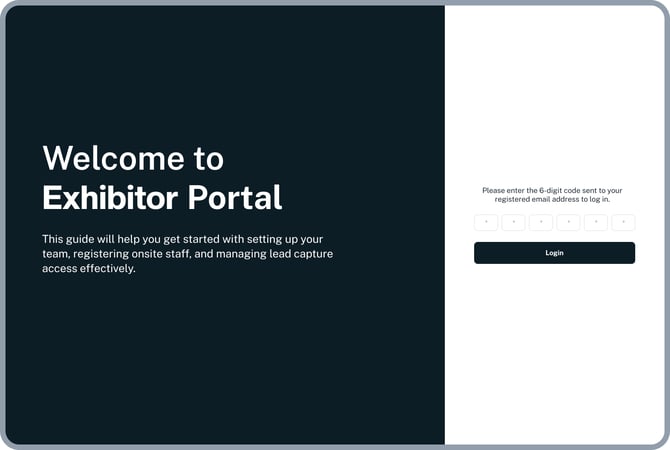
- You’ll receive a **6-digit one-time password (OTP)** in your email.
- Enter the OTP to log in.
- [Web Portal](https://support.eventpack.com/partner-portal/web-portal?hsLang=en)
- [Lead Retrieval App](https://support.eventpack.com/partner-portal/lead-retrieval-app?hsLang=en)
[](http://eventpack.com)
[mailto:email@email.com](mailto:email@email.com)
Copyright © 2026, Eventpack