
There are two ways to create an event:
-
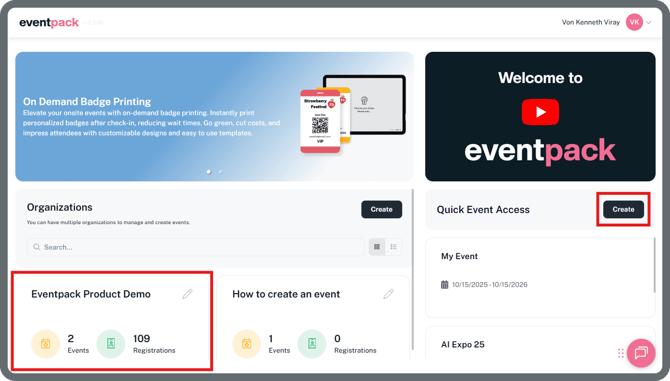
Click on your Organization, then select Create in the upper-right corner.
-
On the Quick Event Access section and click the Create button to start creating an event.
The only difference between these two methods is that if you use the Create button in the Quick Event Access section, you’ll need to select an organization before proceeding.
- Fill out the form:
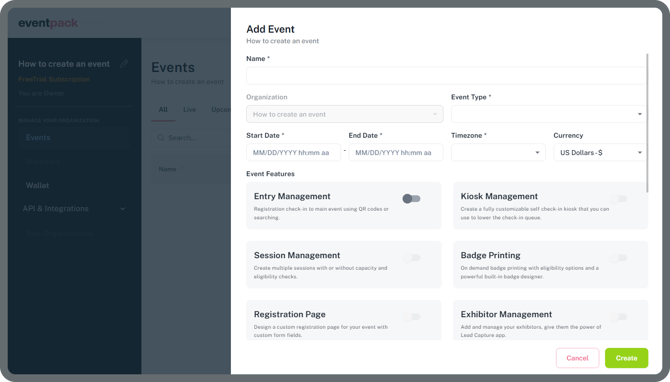
The most important setting here is the event Timezone. Time stamps of all check-ins that are captured during the event will appear in the event reports based on the selected timezone. It’s therefore important to choose the correct timezone for the location where the event is being held.
- Enable the Event Features you want to use, at leaast one selection is mandatory.
- Click Create to create your event.